
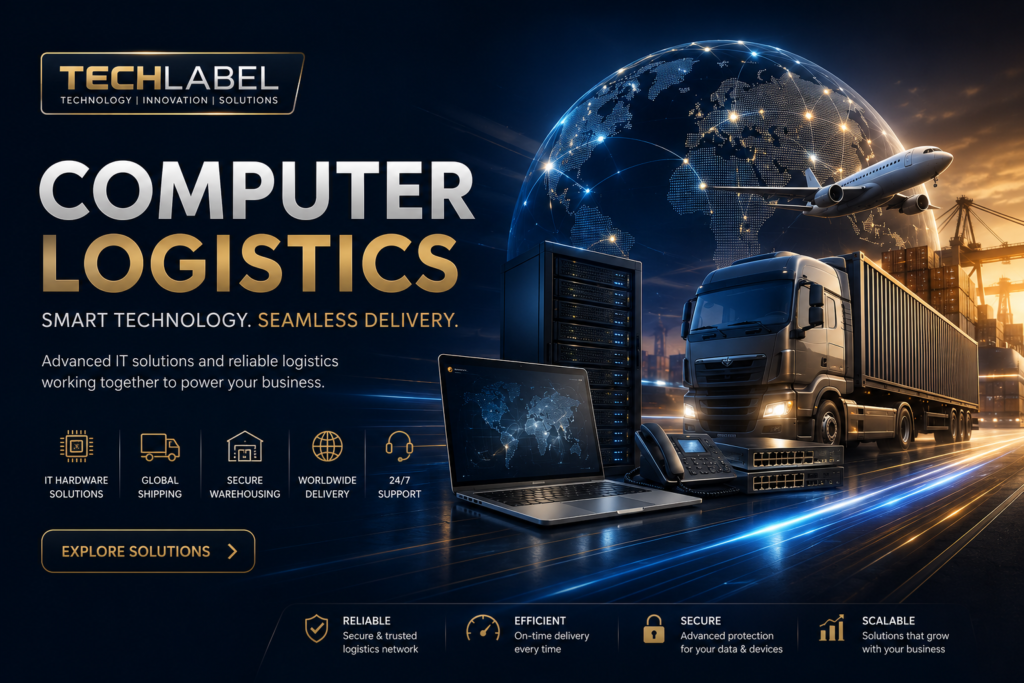

In today’s digital world, businesses depend heavily on computers, laptops, servers, and networking equipment to operate efficiently. However, managing these devices is more than simply purchasing them. Organizations must transport, store, deploy, maintain, and retire IT equipment securely and efficiently. This entire process is known as computer logistics.
Whether you’re a small business, an enterprise, an IT service provider, or an e-commerce company, having an effective computer logistics strategy can reduce costs, improve productivity, and protect valuable technology assets.
This guide explains everything you need to know about computer logistics, including how it works, why it matters, its key components, best practices, common challenges, and future trends.
What Is Computer Logistics?
Computer logistics refers to the planning, transportation, storage, deployment, tracking, maintenance, and disposal of computer hardware and IT equipment throughout its entire lifecycle.
Unlike standard shipping, computer logistics focuses on protecting sensitive and expensive technology assets while ensuring they reach the correct destination safely and on time.
Computer logistics typically includes:
- Hardware transportation
- Inventory management
- Device deployment
- Secure packaging
- Asset tracking
- Equipment relocation
- IT asset recovery
- Certified recycling and disposal
Why Computer Logistics Matters
Businesses invest thousands—or even millions—of dollars in IT equipment. Poor logistics can lead to damaged devices, lost inventory, delayed projects, and unnecessary expenses.
A well-organized computer logistics system helps businesses:
- Reduce operational costs
- Improve productivity
- Protect valuable equipment
- Speed up deployments
- Maintain accurate inventory
- Enhance data security
- Simplify IT asset management
Efficient logistics also supports remote work by enabling companies to ship laptops and accessories directly to employees without delays.
Key Components of Computer Logistics
1. IT Asset Procurement
The process begins with purchasing the right hardware.
This includes:
- Desktop computers
- Laptops
- Workstations
- Servers
- Monitors
- Networking equipment
- Storage devices
Selecting reliable suppliers ensures better lifecycle management.
2. Secure Storage
Before deployment, equipment is stored in climate-controlled warehouses.
Proper storage prevents:
- Dust damage
- Moisture exposure
- Physical impact
- Temperature-related failures
Warehouses also organize inventory for faster distribution.
3. Inventory Management
Every computer receives an identification number or barcode.
Modern inventory systems track:
- Serial numbers
- Warranty information
- Purchase dates
- Assigned users
- Current location
- Maintenance history
Real-time tracking reduces equipment loss.
4. Device Configuration
Before shipping, IT teams prepare each device.
Typical setup includes:
- Installing operating systems
- Software installation
- Security updates
- Antivirus configuration
- User account creation
- Device testing
This process is often called IT staging.
5. Transportation
Technology equipment requires specialized shipping.
Professional logistics providers use:
- Shock-resistant packaging
- Anti-static protection
- GPS tracking
- Insurance coverage
- Temperature monitoring
These measures reduce shipping damage.
6. Deployment
Once delivered, equipment is installed and configured at its destination.
Deployment may involve:
- Office setup
- Remote employee delivery
- Data center installation
- Branch office expansion
Many companies now use zero-touch deployment, allowing employees to start using devices immediately.
7. Maintenance and Repairs
Computer logistics continues after deployment.
Organizations track:
- Repairs
- Warranty claims
- Hardware upgrades
- Replacement parts
- Preventive maintenance
Proper maintenance extends equipment lifespan.
8. Asset Recovery
When equipment reaches the end of its useful life, businesses recover it.
Recovery includes:
- Device collection
- Data wiping
- Hardware inspection
- Refurbishment
- Resale
- Recycling
This reduces electronic waste and improves sustainability.
Industries That Use Computer Logistics
Many industries depend on professional computer logistics services.
These include:
- Information Technology
- Healthcare
- Banking
- Education
- Government
- Manufacturing
- Retail
- Telecommunications
- E-commerce
- Logistics companies
Each industry has different security and compliance requirements.
Benefits of Effective Computer Logistics
Lower Costs
Proper planning reduces transportation expenses, repair costs, and unnecessary hardware purchases.
Better Security
Secure handling minimizes the risk of theft, unauthorized access, and data breaches.
Faster Deployment
Pre-configured devices allow employees to start working immediately after delivery.
Improved Asset Visibility
Real-time tracking makes it easier to locate devices across multiple offices.
Longer Equipment Lifespan
Proper packaging, storage, and maintenance reduce hardware failures.
Environmental Sustainability
Responsible recycling minimizes electronic waste while supporting corporate sustainability goals.
Common Challenges
Even large organizations face logistical challenges.
Some common issues include:
Shipping Damage
Computers can be damaged during transportation without proper packaging.
Inventory Errors
Manual inventory systems often lead to missing or duplicate records.
Security Risks
Lost laptops may expose sensitive company information.
Global Shipping Delays
International transportation can experience customs delays and supply chain disruptions.
High Transportation Costs
Large deployments require careful logistics planning to control expenses.
Best Practices for Computer Logistics
Organizations can improve efficiency by following proven strategies.
Use Asset Management Software
Automated tracking provides real-time visibility into every device.
Standardize Packaging
Consistent packaging reduces shipping damage.
Label Every Device
Clear identification improves inventory accuracy.
Encrypt Company Devices
Encryption protects business data during transportation.
Schedule Preventive Maintenance
Routine inspections help prevent unexpected failures.
Work With Specialized IT Logistics Providers
Technology-focused logistics companies understand the unique handling requirements of computer equipment.
Emerging Trends in Computer Logistics
Technology continues to transform logistics operations.
Some important trends include:
AI-Powered Inventory Management
Artificial intelligence predicts inventory demand and improves warehouse efficiency.
IoT Device Tracking
Internet of Things sensors provide real-time location and environmental monitoring.
Cloud-Based Asset Management
Cloud platforms enable remote tracking across multiple locations.
Sustainable Logistics
Businesses increasingly adopt recyclable packaging and environmentally friendly transportation.
Automation
Robotics and automated warehouses improve order accuracy while reducing labor costs.
Computer Logistics vs Traditional Logistics
| Computer Logistics | Traditional Logistics |
|---|---|
| Focuses on IT equipment | Handles all product types |
| Requires anti-static protection | Standard packaging |
| Includes device configuration | No technical setup |
| Tracks serial numbers | Tracks shipments only |
| Requires secure data handling | Usually no data concerns |
How Small Businesses Can Improve Computer Logistics
Small businesses don’t need enterprise-level budgets to improve logistics.
Simple steps include:
- Keep a digital inventory
- Label every device
- Back up important data
- Store equipment safely
- Purchase protective shipping materials
- Maintain warranty records
- Schedule regular hardware inspections
These practices reduce downtime and improve long-term efficiency.
Conclusion
Computer logistics is far more than moving computers from one location to another. It covers the complete lifecycle of IT equipment—from procurement and deployment to maintenance, recovery, and secure disposal.
Businesses that invest in efficient computer logistics benefit from lower operational costs, stronger security, faster deployments, and improved asset visibility. As organizations continue adopting remote work, cloud computing, and AI-driven operations, effective computer logistics will become even more essential.
Whether you’re managing a small office or a global enterprise, implementing modern computer logistics practices will help protect your technology investments while supporting long-term business growth.
Frequently Asked Questions
What is computer logistics?
Computer logistics is the management of computer hardware throughout its lifecycle, including purchasing, storage, transportation, deployment, maintenance, tracking, and disposal.
Why is computer logistics important?
It protects expensive IT equipment, improves efficiency, reduces costs, strengthens security, and simplifies asset management.
What industries use computer logistics?
Industries such as healthcare, banking, education, government, retail, manufacturing, telecommunications, and IT all rely on computer logistics.
What software is used for computer logistics?
Many organizations use IT Asset Management (ITAM), inventory management systems, barcode tracking, RFID technology, and cloud-based logistics platforms.
Is computer logistics only for large businesses?
No. Small businesses also benefit from organized inventory tracking, secure shipping, and proper device management.